Max4Sale / Points4Sale limit check
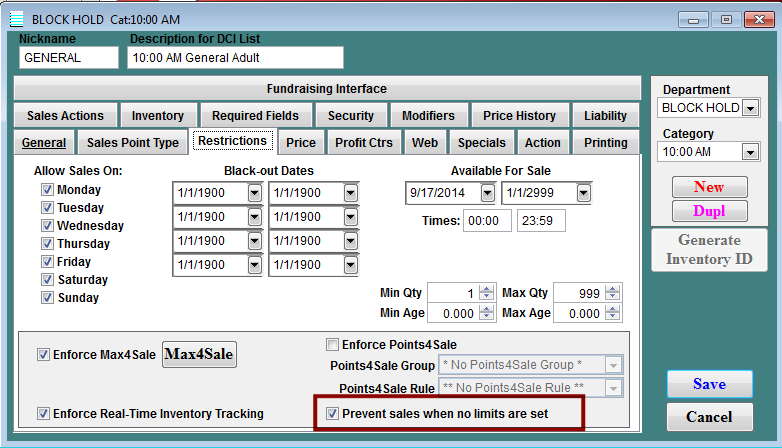
A check box has been added to the Item Edit form > Restrictions tab > Max4Sale / Points4Sale area in SysManager: Prevent sales when no limits are set. This is available when either Max4Sale or Points4Sale restrictions are active. Checking this option returns zero remaining quantities to a salespoint if that item has no limits in effect for a given timeframe.