Step 1 – Pass configuration
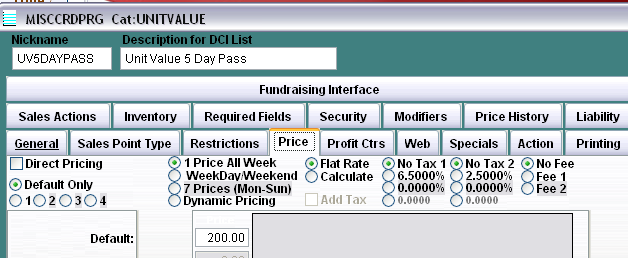
The pass item is configured with a price on the
Price
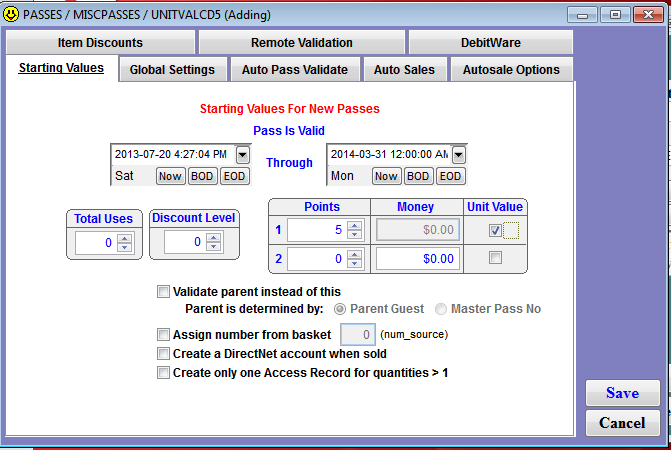
tab and the appropriate number of points in the
Points 1
or
Points 2
field and the
Unit Value
check box is checked next to the
Points
field used in the program: