ScanMan module licensing
ScanMan module is a licensed salespoint. A ScanMan station must be on the Sales Point Licenses grid in SysManager > Preferences > Sales Point Licenses. To add it, go to SysManager > Activities > System Lists > Salespoints > New and create a new salespoint in ScanMan mode.
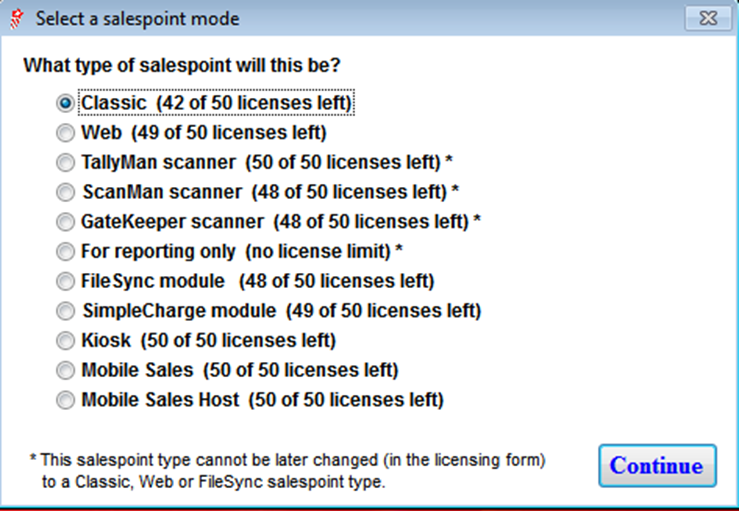
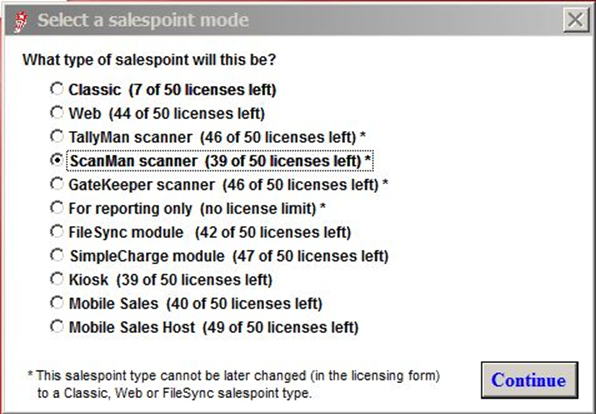
When you click New, you are presented with the following dialog:
The salespoint name for ScanMan, assigned in SysManager and the Unit ID setting in ScanMan.INI need to be exactly the same. When creating the new salespoint choose Scanman Scanner and then go through the salespoint creation steps.
You can also select the mode from the SysManager > Activities > System Lists > Salespoints > New/Edit > Licensing tab on the Salespoint Configuration dialog.