Computer
The computer inside the kiosk is a standard PC running Windows. The computer needs to be configured in the same fashion as other salespoints. The PC must be configured on the network and must be able to connect to the share on the Salesware server. Some clients choose to map a network drive for this purpose. The PC must also be able to connect to the IP address(es) of the SalesEZ, Messenger Service and Charge Cards processing server(s). Because this computer most likely does not have a keyboard, it might be desirable to set up Windows to automatically log in.
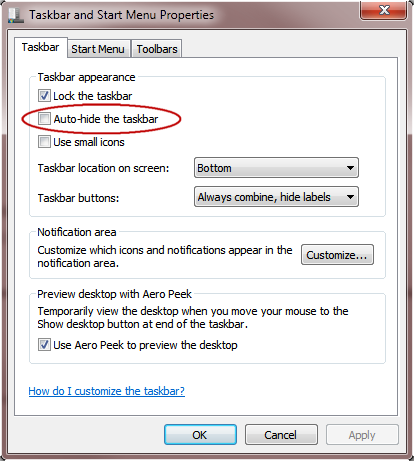
Also, it is necessary to change the properties of the Windows task bar to auto-hide. This causes the task bar to be hidden while Sales is running. This is done from the Taskbar and Start Menu Properties dialog, as shown in the following screen capture:
Check the Auto-hide the taskbar check box and click OK.