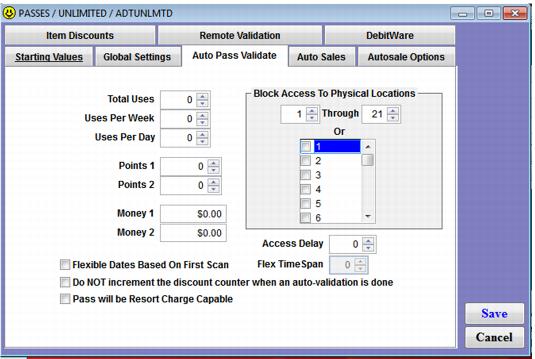
Blocking access to physical locations
You can block pass access to physical locations through use of the Location name.
Note: Blocking access to physical locations is one of the primary uses of the Location name. The salespoint name as specified in SysManager > Activities > System Lists > Salespoints usually reveals the location as well and is used to identify where a salespoint or Access Control device is located.
Location is set in ScanMan module by scanning the appropriate barcode, by setting manually from the scanner itself or by using the SETLOCxxxxxx .INI setting. The Location name is the physical location where the scanner is being used. The Location is written into the data with each scan. The name is made up of six characters. The last two characters in the location name must be numbers if you want to use the Block Access To Physical Locations functionality in item templates:
Example:
You could use CAB01 (SETLOCCAB01) or TRIP15 (SETLOCTRIP15). Single digits are acceptable too – so CAB1 is a valid name. The total number of characters must be less than 6, though. Thus, TRIP15 is acceptable, but TRIPL15 is not.
This functionality is especially useful for applications such as blocking a lower mountain pass from being able to go to the upper mountain. If you do not require this functionality, then number suffixes are not required.