E-Messages
E-Messages are supported in ScanMan module. When a pass is scanned and an E-Message is returned from SalesEZ application, a .wav file is played before the normal .wav file (for good/bad online/offline) is played. This file is stored in the same folder as the other .wav files and must be called mail.wav.
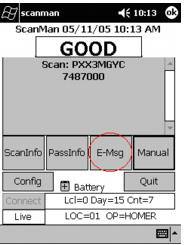
A new button, labeled E-Msg, is on the main dialog and if a message is present, the button becomes active.
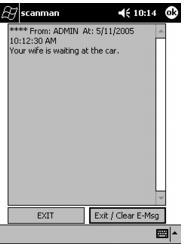
Tapping the E-Msg button brings up the message for the guest.
When exiting the E-Message, the user may exit with or without clearing the E-Message.