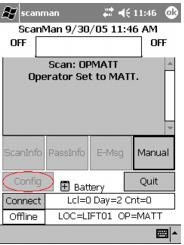
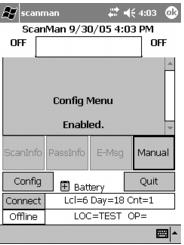
ConfigCode setting
Access to the Config menu can be controlled by an .INI setting.
If not included, the Config menu is always accessible. If it is included, then a barcode (or manual entry) must be typed to be CON plus the code.
Example:
ConfigCode=P5H4
Then, SETCONP5H4 must be scanned for the Config menu to be used. If there is a ConfigCode used and SETCON (or SETCON followed by anything but the actual code), then the Config menu is again disabled.
Note: When the scan is received to enable the Config menu, the scan is not shown (so that prying eyes can’t obtain the secret code).
Note: Make sure that the value that ConfigCode is set to is in all capital letters. This is because ScanMan module capitalizes all letters that are scanned or typed in. If the ConfigCode is set to a lower case or mixed case value, then no barcode scanned ever unlocks the Config menu.