Count
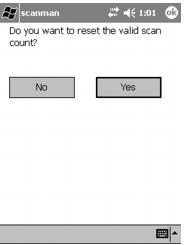
A Cnt= section is on the status line at the bottom of the ScanMan main dialog. This is the number of valid scans since the last reset. This number survives shutting down ScanMan module or changing operators and only resets when the status line is touched, at which point a confirmation dialog is brought up.
This counter can be disabled completely with an .INI setting:
Cntr=0
Or it can be entered into ScanMan module by a barcode or through the Manual dialog:
SETCNTR0
The default is 1 (counter is enabled).