Response screens text
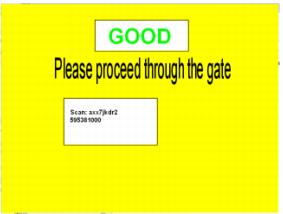
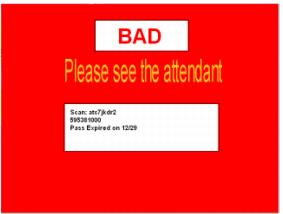
There are two Output sections in the GateKeeper.INI file that refer to the placement of text on the response screens. These correspond to both the Good and Bad response screens.
The default settings are listed below and the placement of text is shown in the screen captures after that.
[Output1]
Size=56
Font=Arial
X1=.25
X2=.75
Y1=.1
Y2=.3
[Output2]
Size=18
Font=Arial
X1=.25
X2=.75
Y1=.5
Y2=.8
• Output1 - Section refers only to the text for GOOD and BAD
• Output2 - Section refers to the Scan results information that is returned by SalesEZ application
• X1, X2, Y1, Y2 - Ratios of screen size
• Size - Point size
• Font - Any recognized Windows font name
The text is centered between the X1, X2 and Y1, Y2 values.
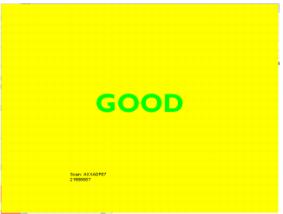
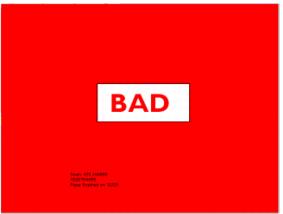
Here is an example of what can happen with changes to these settings:
This layout was the result of the following settings (please note that the bitmap images have also been changed):
[Output1]
Size=72
Font=GillSans
X1=.25
X2=.75
Y1=.4
Y2=.6
[Output2]
Size=12
Font=Arial
X1=.25
X2=.75
Y1=.8
Y2=.9