Ticket items printed/encoded on NON-Reloadable media (one-way tickets)
Creating Siriusware Access Records
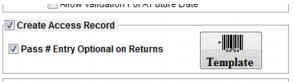
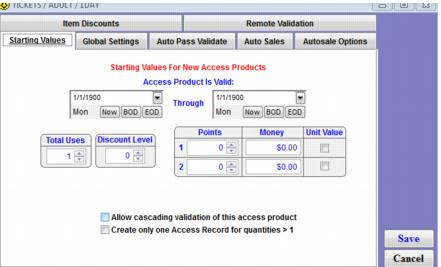
For items that generate new ticket media (new RF cards/tickets that need to be printed/encoded) the item must be configured to Create Access Record. Although validation are controlled by the Axess Gates and not the configurations within the Siriusware Access Template, it is still necessary to configure the template with the typical settings, such as Total Number of Uses, for consistency when researching access records in Siriusware vs. WTP/RF Serial Numbers in Axess and for exchanges. Also, any Siriusware salespoint validation programs still need to have all of the relevant configurations added.
Axess printing of NEW Tickets/Media
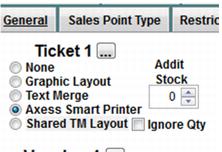
In order to send instructions to the Axess Smart printer for printing and encoding you must configure a Text layout for the item under the Axess Smart Printer option:
Note: Because this type of media cannot be reloaded, the WTP number should NEVER be printed on these tickets. Please refer to the Axess Smart Printer layouts section of this document for more details on configuring layouts.
E-Commerce considerations
New ticket sales should NOT be finalized in Sales Host utility. Instead, saved sales or reservations are generated that can be recalled and finalized at a salespoint that has an Axess printer and the appropriate RF stock.