Media History
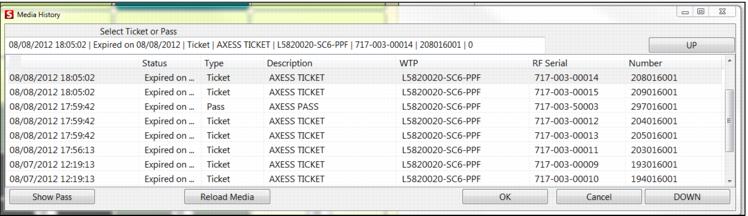
The Media History dialog allows you to select a ticket or pass. It displays information such as Status, Type, Description, the WTP number, the RFSerial number and the Number. After selecting the specific pass or ticket item, you have the ability to either Reload Media or to show detailed information by clicking on the Show Pass button.
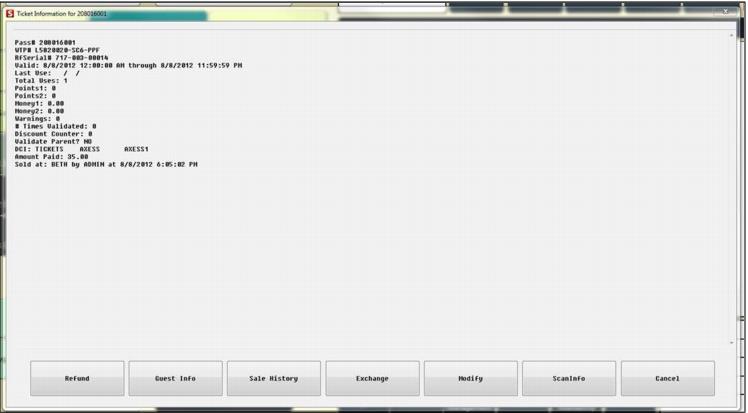
The Show Pass button will bring up the Pass/Ticket Information dialog for the specific selected pass. From this dialog you can retrieve detailed guest information, sale history, perform exchanges and refunds, modify the pass etc. Once the operator closes the Pass Information dialog, they are brought back to the Media History dialog.