BatchPrint
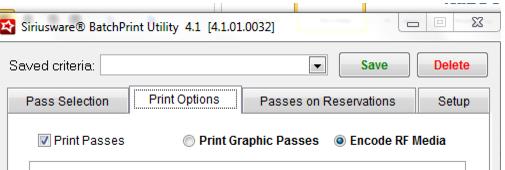
BatchPrint utility can be used to either print graphic passes OR encode Axess RF media. The two step printing process (graphic card printing followed by prompted Axess RF encoding) does not work with BatchPrint utility. If two step printing is required, the most efficient process is to graphically print using BatchPrint utility, and then encode the cards one-by-one using Sales (Ticket Inquiry > Read RF > Encode RF).
To use BatchPrint utility for Axess RF Encoding, start by installing BatchPrint on a PC that already has Sales and AXCoding installed. This allows BatchPrint utility to read from the existing ports.INI for the POS= and Project= setting, as well as use the same license key for AXCoding.
Note: It is possible to run BatchPrint utility on a PC that doesn’t have Sales installed, but this requires another AXCoding license and manual creation of a maxkeys table and ports.INI.
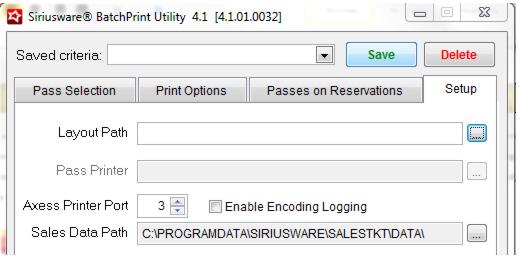
The Sales Data Path and Axess Printer Port settings need to be set when using BatchPrint utility for encoding, and the Pass Printer (for graphic card printing) is disabled. All other settings, such as the Layout Path, Label Layout, Label Printer and Ticket/Voucher printers can still be configured if mailing labels and/or graphic ticket and vouchers need to be printed during the batch encode process.
All other Pass Selection and Passes on Reservations filters can be used for batch encoding in the same manner they are used for graphic pass printing.
Notes:
• The batch encode process always assumes a card feed from the hopper, even if the Axess Smart Printer layouts specify hand-feeding.
• The batch encode process always assumes a one-step printing/encoding process, even if the <ExternalPrint> is set to 1.
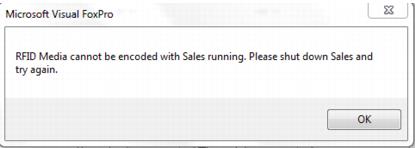
• Sales should NOT be running at the same time as BatchPrint utility on the same computer due to a conflict with sharing AXCoding between two applications.
• The Passes Printed X Times Or Less setting is irrelevant when encoding passes, because if a pass record has already been encoded (a WTP number is present on the gst_pass record) BatchPrint utility skips that record.