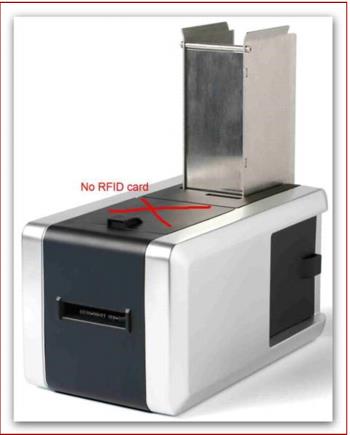
Axess Smart Printer
1. Install AXCoding on each computer that encodes cards (installer from Axess). During the install of AXCoding the user is prompted to insert a unique activation key per salespoint (Axess provides the keys).
Note: Please refer to Axess documentation for more details on installing AXCoding for the Smart Printers.
2. Insert the [SmartPrinter] settings in the Ports.INI noted within the Salespoint Configuration section above.
3. Do NOT store cards on top of the Axess Smart Printer as this can cause issues with a WTP number from a card sitting on top of the printer to be read as opposed to the card currently being encoded and printed.