Custom Expressions
When additional information outside the available selection of values in the column detail dropdown list is needed, the Custom Expression is an option. When selected, it opens a dialog with a text area in which the user may enter a new custom expression.
What is a Custom Expression? It is very similar in concept to the Custom Filter found repeatedly in ReportManager. Except, the Custom Filter feature allows users to add their own SQL statement to the where clause of the query sent to the server, thereby filtering or limiting the output. The Custom Expression, however, allows users to add a SQL statement to the select clause, actually determining the output of the query.
Example:
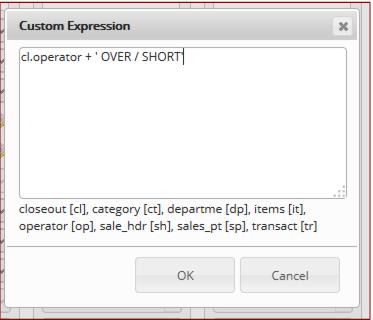
If you were posting over/short by operator, you might want the reference or memo a field to read something like BILLMC OVER/SHORT, where “BILLMC” is the operator nickname. While the operator nickname is an available value for a text column in an over/short row, the OVER/SHORT portion is not. In this case, a custom expression can be used to construct the desired output, concatenating the closeout’s operator nickname with the string OVER/SHORT:
cl.operator + ' OVER/SHORT'
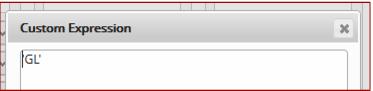
Sometimes the user may want to simply enter what appears in the column, without any reference to the database at all. Perhaps a Journal Type column that always equals GL. That would be the simplest custom expression, a single string:
'GL'
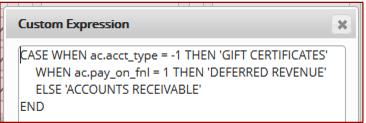
Custom expressions are most powerful in dealing with complex grouping options. The Account Activity section of the ReportManager Daily Summary Report is a common source of confusion for our clients. If is comprised of many different kinds of invoice-related activities: advanced deposits, accounts receivables and In-House Cards activities. Many clients want to post these different types of account activity in different ways to their GL. By using a SQL CASE statement in the Custom Expression, you can write the logic to use one GL# if it’s an In-House Cards account, use another if the account is only used for saved sales and deposits and not allowed to use A/R or if the account is allowed to use A/R, post to that account:
CASE WHEN ac.acct_type = -1 THEN 'GIFT CERTIFICATES'
WHEN ac.pay_on_fnl = 1 THEN 'DEFERRED REVENUE'
ELSE 'ACCOUNTS RECEIVABLE'
END
It is even possible to write a sub-query as a custom expression, exposing data from many other tables.
Example:
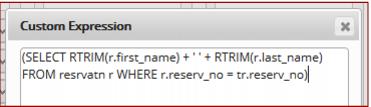
If you wanted to include reservation details (such as the contact name) with a posting related to their reservation, you could do the following:
(SELECT RTRIM(r.first_name) + ' ' + RTRIM(r.last_name) FROM resrvatn r WHERE r.reserv_no = tr.reserv_no)