Disabling unique identifier protocol from PBAdmin in version 6.01
When ProtoBase version 6.01 is installed, it has a new security protocol (set up by default) that causes ProtoBase to swap out card numbers for a unique identifier. Salesware module requires this to be unchecked. If not corrected, this error message appears as, “Unable to set up payment” in Sales because it doesn’t get a card number.
To uncheck this setting, perform the following steps:
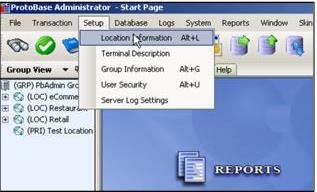
1. In PBAdmin, select Setup > Location Information.
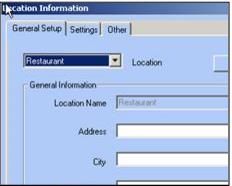
2. For each of the Locations in the dropdown on the General Setup tab:
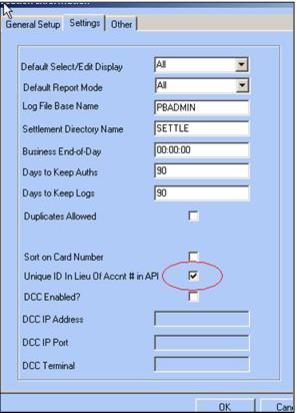
3. Go to the Settings tab and ensure that the Unique ID in Lieu of Accnt # in API check box is unchecked.
4. Exit from the dialog, click OK to the warning, and then go back and uncheck this setting for another Location.