Installation steps
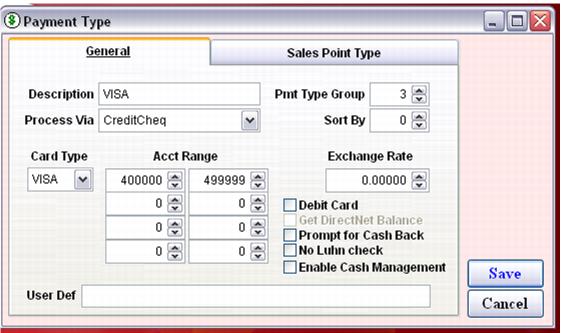
1. In SysManager, make sure all required charge card payment types are set up with number ranges, Process via CreditCheq and the correct Card Type.
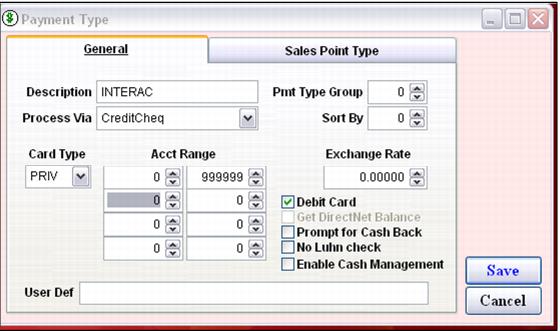
2. Create a Debit Card payment type (Interac cards) with a number range from 000000 to 999999, Process Via CreditCheq, Card Type PRIV and check Debit Card.
3. Do not specify a CC layout in SysManager > Preferences > Miscellaneous. The layout is taken care of by the Tender Retail install files.
4. Connect the PinSmart device to power and the salespoint serial port. The display shows a version number and other numbers.
5. Ensure that the computer keyboard is configured for English if a keyboard swipe is being used for charge card swiping. A French keyboard configuration puts ? for a separator instead of ^ and makes the swipe unreadable by the software.
Note: The keyboard swipe (or external mag swipe unit) processes charge cards faster than if the PinSmart swipe is used.
6. For each salespoint ensure that the following entries are in the Sales32c.INI file or Global .INI:
[Preferences]
CreditCheq=TRUE
CreditCheqLineFeeds=n
where n is the number of line feeds between merchant and customer receipts and after the second receipt.
In the Sales32c System.INI ensure the following settings are present:
[Server] CreditCardSales=TRUE
TenderRetailLib=Moneris
CCtagFile=C:\Moneris\cctag.config