To configure Valutec gift cards for use in Siriusware:
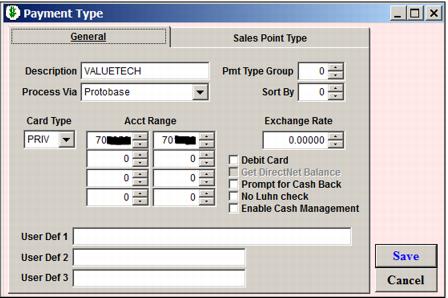
1. In SysManager, configure Payment Type as follows. Valutec bin ranges will always begin with 7. Any client using Valutec will have their own unique bin range.
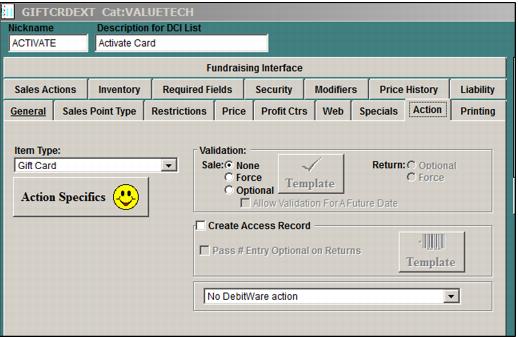
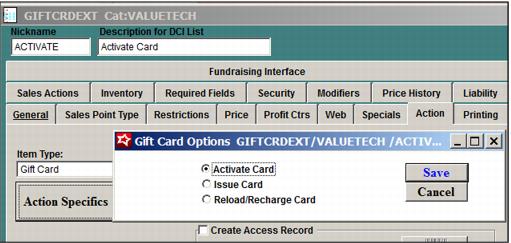
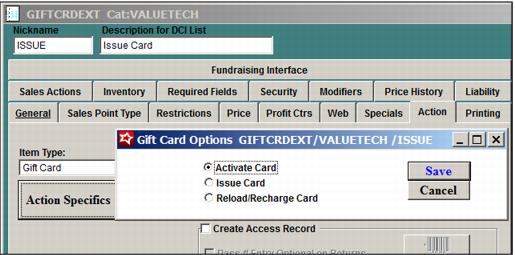
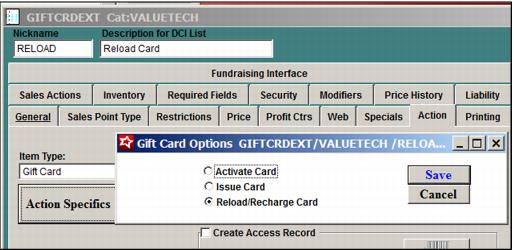
2. Configure Activate, Issue and Reload items to be used. For ease of use, Activate, Issue and Reload items could be configured in different amounts, e.g., $50, $100, $200.
3. Add the following setting to the [Preferences] section of the sales32c.INI:
ValutecGiftCard=TRUE
4. When Sales is running, go to Tools > Data Files and refresh the GiftTmpl table. (If this step is not performed, you get an error that the product template doesn’t exist.).
5. In Tools > Credit Cards > General Setup, a Credit Card Terminal and Gift Card Terminal must be configured for ProtoBase.
6. The Activate, Issue and Reload items all are used in the same manner. The item is added to invoice, the operator goes onto the, Swipe Gift Card dialog from the line item and swipes the card. If the card reader malfunctions, the manual entry button can be used. It is optional to associate a guest with the card.
Note: A negative amount cannot be set for a Valutec direct pricing, reload item.
7. You can check the gift card balance from Tools > Actions > Gift Card Balance.
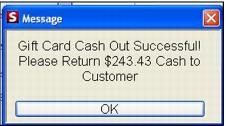
8. The card can also be cashed out and deactivated in Tools > Actions > Gift Card Cash Out. Once cashed out, the card cannot be used again through Siriusware software. When cashing out, the operator will receive the following message:
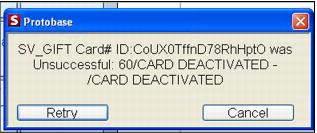
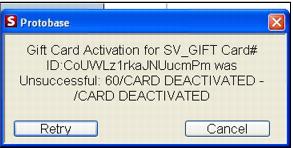
9. If a card is cashed out and an attempt is made to use it again, the following may result: