Account pricing
Account pricing can be used to offer discounted pricing to various groups and can also help to reduce the number of items that must be configured due to price variances of essentially the same item. For instance, instead of having a list of ticket products for “wholesale,” another for “groups,” another for “lodging properties” and another for “walk-ins,” just one set of items can be configured at the “retail rate” and the applicable discounted pricing can be applied to the items by selling them to an account.
The rule attached to the account can “ignore previous rules” for the item and calculate the price of the item from the original base rate or it can further alter the price of the item based on the outcome of the item’s own rules. Remember – Dynamic Pricing Rules are additive! If the price of the item when sold to the account is discounted in addition to any discounts that may have already been calculated based on the item’s Dynamic Pricing Rule, do not check the SysManager > Activities > Accounts > New/Edit > General Info tab > Ignore Previous Rules check box. If the item’s price is calculated using only the conditions and functions contained in the Dynamic Pricing Rule attached to the account, check the Ignore Previous Rules check box.
Sample rules:
• DISCOUNT(5) discounts all items sold to the account by 5%.
• IF(DCI(TICKETS), DISCOUNT(5)) only discount items within the TICKETS department when sold to the account by 5%.
Sample program:
The Washington Elementary School gets a School Group discount on tickets. In order to implement this discounted program with the use of Dynamic Pricing Rules, the following is configured in SysManager:
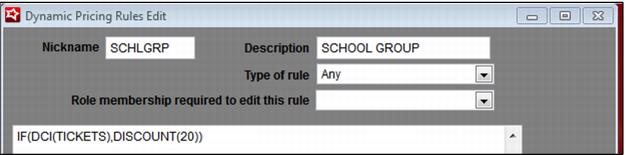
1. A School Group Rule is configured that discounts all items in the TICKETS department by 20%: IF(DCI(TICKETS),DISCOUNT(20)).
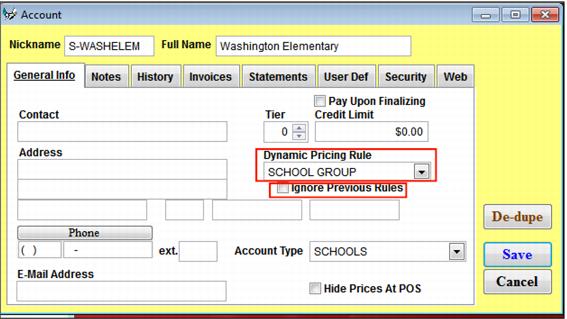
2. An account is configured for Washington Elementary and the School Group Rule is selected from the SysManager > Activities > Accounts > New/Edit > General Info tab > Dynamic Pricing Rule dropdown. This school group discount is offered in addition to the any Dynamic Pricing-based discounts already calculated for normal ticket sales (such as discounts based on high or low seasons or those based on the day of the week, etc.), so the Ignore Previous Rules check box is left un-checked.
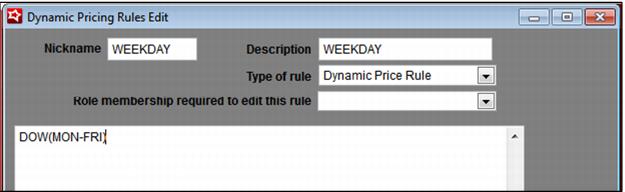
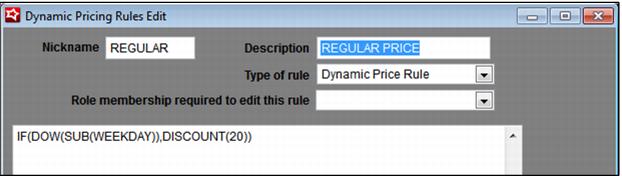
3. The Youth Entrance item within the TICKETS department already follows the Regular Price Rule which is a weekday/weekend rule that discounts the base ticket price by 20% for weekdays. The Regular Price Rule used by the Youth Entrance item looks like this:
IF(DOW(SUB(WEEKDAY)),DISCOUNT(20))
The Regular Price Rule is attached to the Youth Item ticket.
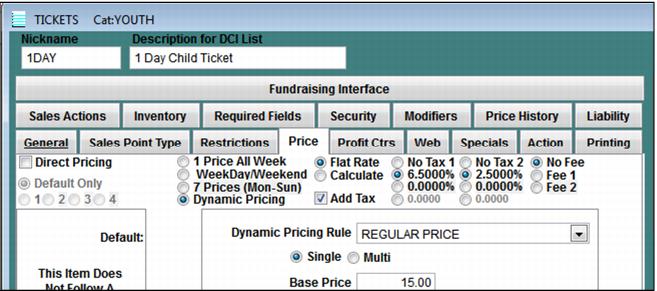
Note: The “base rate” of the item can be established within a Dynamic Pricing Rule by using the function SETPRICE or within the item on the Price tab:
4. The end result is that when items within the TICKETS department are sold to the Washington Elementary account, the price is discounted by 20%, which results in a Youth 1 Day Ticket price of $9.60 on a weekday or $12.00 on a weekend.
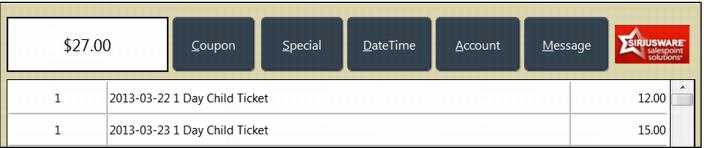
The price of the Youth 1 Day Ticket is $12.00 on a weekday and $15.00 on a weekend when it is not sold to the Washington Elementary account.