Salespoint group pricing
Salespoint group pricing allows the price of an item to vary based on the location of the sale. For instance, a twelve-ounce soda costs $0.75 at the employee cafeteria, but, that same twelve-ounce soda costs $2.50 at the five-star restaurant.
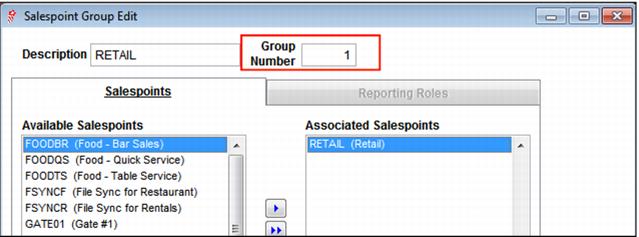
Salespoint group pricing relies on a condition that uses the number associated with the salespoint group. Salespoint groups are configured within SysManager > Activities > System Lists > Salespoint Groups.
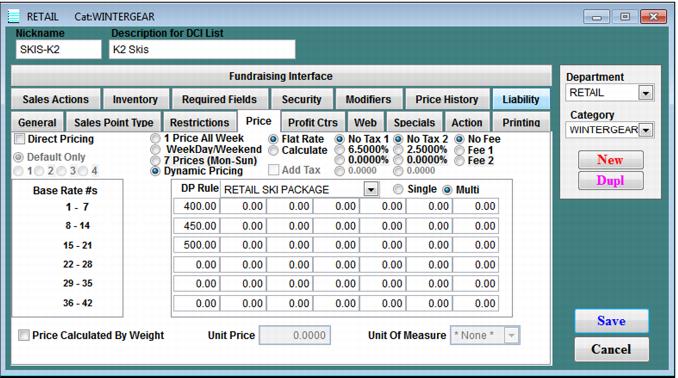
Any function can be used with the GROUP condition (conditions and functions can be combined in almost any manner), but the sample program outlined below demonstrates the use of the specific function, GETPRICE. The GETPRICE function is used to specify which base rate within the item’s Price tab to use. Typically, if configuring the base price for an item within the item’s Price tab, as opposed to setting the base price of an item within a Dynamic Pricing Rule, a single base rate is sufficient. But, multiple base rates can be used. Siriusware® Inc. allows up to forty-two base rates to be established per item. When using more than one base rate, the GETPRICE function is used to specify which of the potential forty-two base rates are used.
Samples rules:
• IF(GROUP(1),GETPRICE(1)) uses the base price in slot #1 on the item Price tab when the item is sold at a salespoint included in salespoint group #1
• IF(GROUP(2),GETPRICE(8)) uses the base price in slot #8 on the item Price tab when the item is sold at a salespoint included in salespoint group #2
• IF(GROUP(3),GETPRICE(15)) uses the base price in slot #15 on the item Price tab when the item is sold at a salespoint included in salespoint group #3
Sample program:
Snowtime, Inc. uses a single SiriusSQL database for three resorts: Liberty, Whitetail and Roundtop. Instead of setting up three entire sets of items for each resort, the resorts share items and use Dynamic Pricing capability to adjust the price of each item based on where the item is sold. To set up this program, these steps were followed:
1. A salespoint group was created for each resort that included all of the salespoints at each resort.
2. Each resort used a specific “row” of base rates on the item Price tab; Liberty would always use the base prices in slots #1-7, Roundtop would always use the prices in #8-14 and Whitetail would always use the prices in #15-21.
3. A single rule was created that would be used for all items that were shared between the three resorts. Assuming that the Liberty salespoint group was number 1, the Roundtop salespoint group was number 2 and the Whitetail salespoint group was number 3, the rule looked like this:
IF(GROUP(1),GETPRICE(1))
IF(GROUP(2),GETPRICE(8))
IF(GROUP(3),GETPRICE(15))
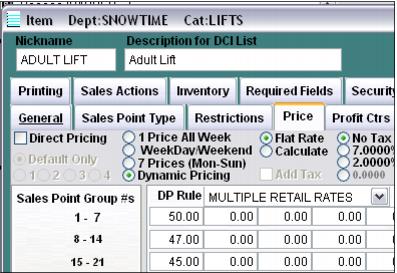
The result was that a single item, such as a lift ticket, could be shared among all three resorts and be priced according to where the ticket was purchased. Using the following screen capture along with the rule previously specified:
• When an Adult Lift item was sold at a Liberty salespoint (a salespoint included in salespoint group #1), the price of the ticket would be $50 (the base rate in slot #1).
• When an Adult Lift item was sold at a Roundtop salespoint (a salespoint included in salespoint group #2), the price of the ticket would be $47 (the base rate in slot #8).
• When an Adult Lift item was sold at a Whitetail salespoint (a salespoint included in salespoint group #3), the price of the ticket would be $45 (the base rate in slot #15).