Log-in as a Web Administrator
1. Open the new E-Commerce web site in a browser.
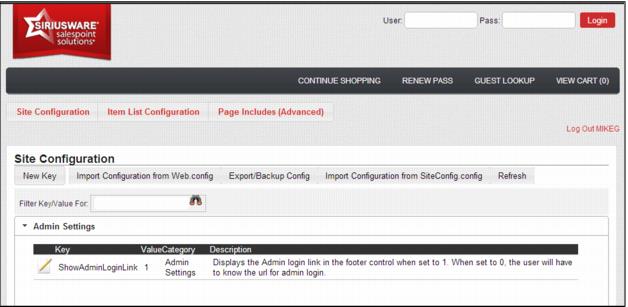
2. Bring up the Admin Panel by using the Admin Login link at the bottom of any page (ItemList.aspx/ItemShow.aspx, etc.). Or alternatively, go to siteroot/admin/login.aspx. Log-in as the operator with web admin role, using the same password with which you would log into SysManager.
Note: The Admin log-in link can be activated/deactivated by changing the value of the ShowAdminLoginLink key in SiteConfig.config.
Note: passwords are not case sensitive.
3. You now see the admin panel where you can finish your configuration.