Installation:
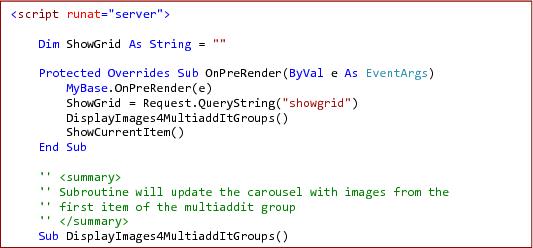
Note: Install the ItemShow getHelpInfo customization if you want to see help_info on ItemList. If used, requires addition of updatereadme on client site; Insert the vb.net below to the bottom of the itemshow page (ctrl + a to select all from the text box below).
1. Copy and paste the following files to the folders listed below
• css/jquery.cluetip.css
• scripts/jquery.hoverIntent.minified.js
• scripts/jquery.cluetip.js
• XMLFiles/Xslt/top.xslt
• scripts/customplugins/omnimaxJquery.js
• scripts/customplugins/getHelpInfo.js
2. Create the following page includes:
Type | Location | Page Name | Include Value |
Javascript | Foot | ItemList.aspx | scripts/customplugins/omnimaxJquery.js |
Javascript | Foot | ItemShow.aspx | scripts/customplugins/getHelpInfos.js |
3. Copy and paste a reference to these files in the <head> tag of the masterpage (you can insert these using the web admin panel if you wish)
4. Using the web admin panel > Item List Configuration > Edit for the effected Item Tree nodes:
• Default view = XsltView
• Xslt FileName = top.xslt