Importing your existing web.config settings
Import configuration from web.config
This reads values from <appSettings> in the web.config and update them into SiteConfig.config. This was built so you can quickly take an existing site and import their settings one time. Once you import, delete the <appSettings> keys in the web.config file as they are not read by the application.
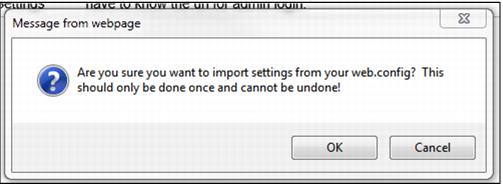
When you choose this tab you receive the following message:
Click OK to import your settings.
Perhaps the easiest way to import your settings is to copy and paste the <appSettings> section from your existing web.config file, and place them into the empty <appSettings> section in the default web.config file. Once you’ve done that, click on the Import Configuration from Web.config, click OK to the message, and then your settings are imported.
Note: Only the Values are imported from web.config into SiteConfig.config. Categories and Descriptions are left to the user to configure as they see appropriate.
Note: If you import keys from your web.config file that do not already exist in SiteConfig.config, they are placed into a Category called General. Feel free to change the Category and add a Description as you see fit.