Configuration for member-only products
The items that you want to configure as only being available for guests logged in via the member log-in process must be entered into the following site config file setting using padded DCIs separated with only a comma:
Site Admin Panel > Membership Settings > MembersOnlyDCIs value = MEMBERONLYRETAIL MMBRMUG ,MEMBERONLYRETAIL MMBRPOSTER
Suggested addition to the Help section in the Item Configuration form of the site config:
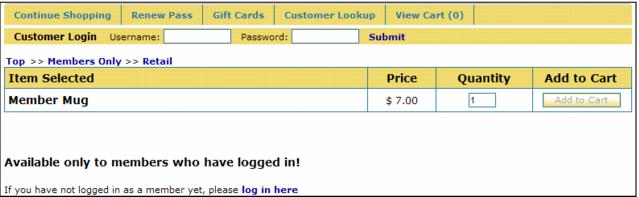
<h3>Available only to members who have logged in!</h3>
<p class="small">If you have not logged in as a member yet, please <a href="MemberLogin.aspx">log in here</a></p>
If the visitor/guest gets to the ItemShow.aspx page for a member-only product before logging in, the Add to Cart button is inactive. However, the link to take them to the MemberLogin.aspx page prompts them on how to proceed.
Once the guest logs in as a member they are returned to the ItemShow.aspx page and now the Add to Cart button is active.