Use
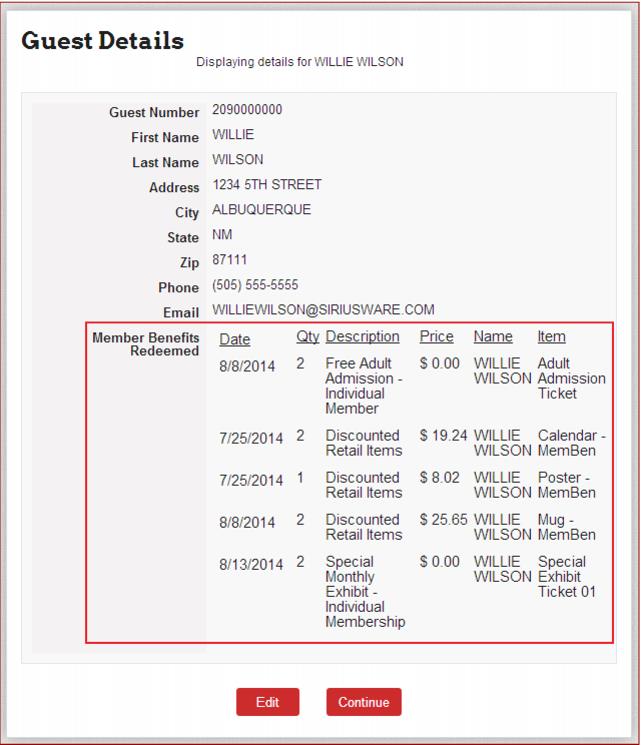
Benefit redemption in E-Commerce module is similar to our existing validation feature, with items that are eligible for Benefit Management functionality, and allows the entry of a membership number. The interface looks for the same for a customer whether or not it is a Standard (Classic) validation or a Benefit and Redemption item, but the call made to ww.dll for subsequent “approval” of the purchase varies. Member and benefit usage summary control can be displayed. To enable, add MemberBenefits to the GuestDispRows config setting as described previously.
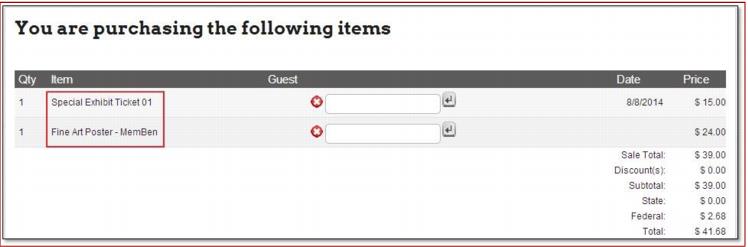
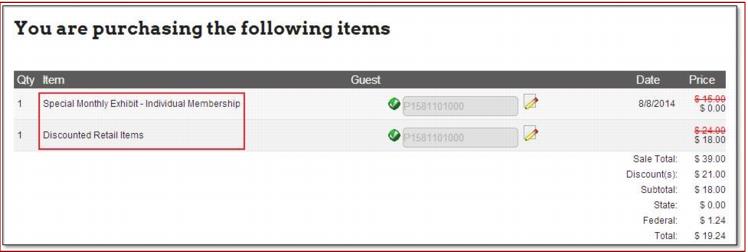
The remainder of the Benefit Management changes to E-Commerce module look the same as when using standard validation with one exception. After the item in the shopping cart is validated as a member benefit item, the item description changes to the description of the benefit.
Before validation:
After validation: