Account configuration
Account configuration involves determining the level of tracking (reporting) necessary for In-House Cards programs and configuring accounts for the various In-House Cards programs as appropriate.
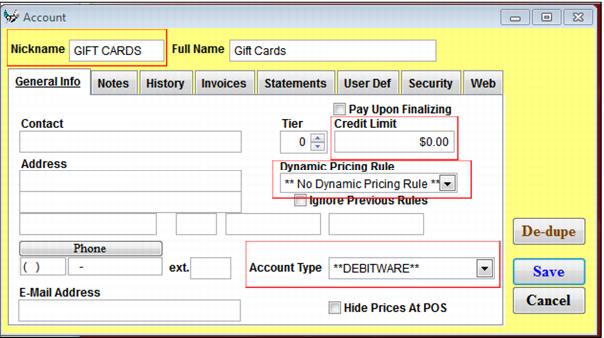
To configure an account for an In-House Cards program:
1. In SysManager, create a new account.
2. Enter the appropriate Nickname, Full Name and Contact/Address information if applicable.
3. The **DEBITWARE** type is selected from the Account Type dropdown.
4. Credit Limit is set to $0 because the individual card programs (DCIs) determine the credit limit for the program, if any.
5. No Dynamic Pricing Rules are selected because this account is used in the back-end for tracking purchases and is not used for discounting items in a sale.
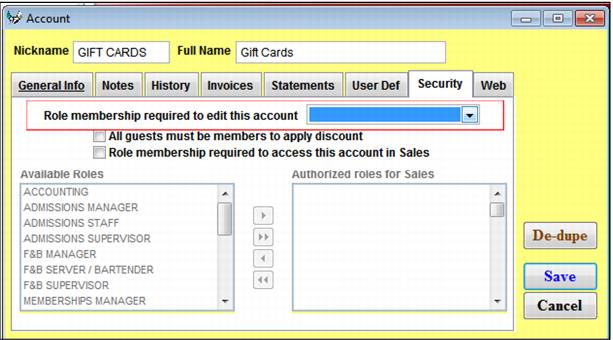
6. From the Security tab, secure the ability to edit the account in order to prevent operators from inadvertently shutting down the account.
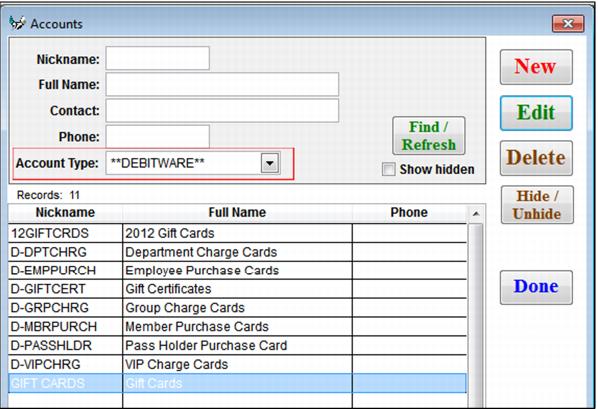
7. Create as many accounts as you need to track different programs – just ensure that all are the **DEBITWARE** account type. Examples are gift certificates, employee charges, Dept 52 charge cards and corporate VIP group.