Payment type configuration
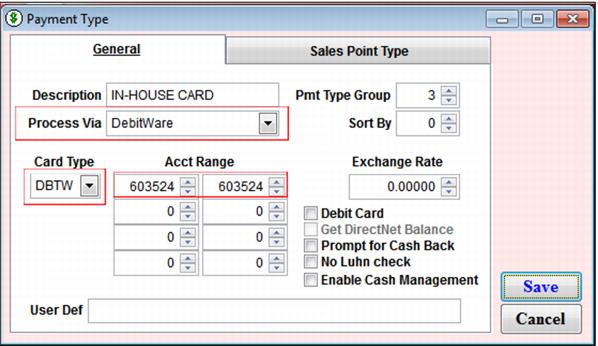
To create a payment type used when an In-House Cards card is presented as payment:
1. Go to SysManager > Activities> Financial Lists > Payment Types and create a new payment type. In this example, the payment type (Description field on the General tab) is called In-House Card.
2. From the Process Via dropdown on the General tab, select DebitWare.
3. From the Card Type dropdown, select DBTW.
4. Card number ranges must match those that you use for In-House Cards numbers. (You need to contact Siriusware Technical Support to purchase a table of card numbers.)