In Sales
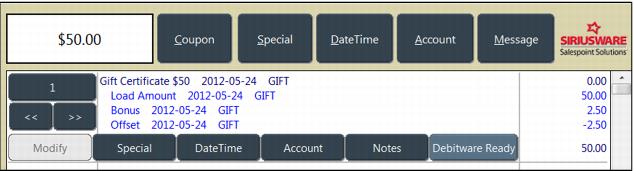
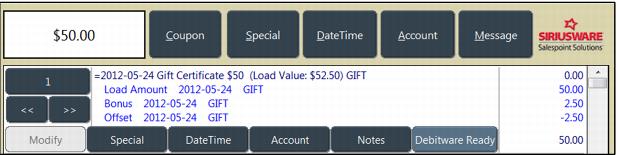
When selling a new item that includes Bonus Cash or performing a reload of a card that is configured with Bonus Cash, the following modifiers are displayed on the right side of the Debitware tab:
• The Load Amount (the amount requested by the customer).
• The Additional Bonus allows manual entry of a Bonus Cash amount, as long as the user has security setting (X_SETBONUS) to allow manual entry of Bonus Cash amounts in Sales
• The Bonus based on the Dynamic Pricing Rule.
• The Offset that takes the price down to the pre-bonus total. The Offset amount is recorded in the data using the **BONUS** item specified within the template of the DebitWare item.
Note: The total value added to the card can be displayed on the line item using the following tags within the standard recap language under Sales32c.INI [Preferences] ItemDesc and ItemDescFull <ifIHC> (Load Value: $ <TotalLoadValue>)</ifIHC>.