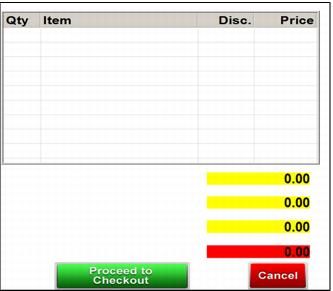
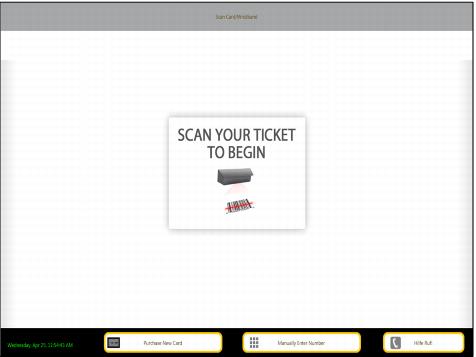
[Interface] section settings
These .INI set the background box color of the subtotal, tax, discount and total boxes on the Classic Kiosk dialog. The Classic Kiosk was also changed to use the new style buttons. The kiosk was modified to look for the foreign language support bitmaps in subdirectories inside the kiosk images directory.
[Interface]
KioskSubTotalBackgroundColor=255,255,0
KioskTotalBackgroundColor=255,0,0
BackColor=255,255,255
ResBackColor=166,167,169
RESBackColorClock=0,0,0
RESForeColorClock=255,255,255
Note: KioskSubTotalBackgroundColor= Subtotal color setting (255,255,0=yellow) in the Classic Kiosk mode invoice. KioskTotalBackgroundColor= Total color setting (255,0,0=red) in the Classic Kiosk mode invoice.
Note: BackColor is the rectangle between the gray bar at the top and the black bar at the bottom of the image below. ResBackColor is the surrounding color around the buttons in the bottom bar, in the image below gold. RESBackColorClock is the color of the bottom bar, black in the image below. RESForeColorClock is the text color for the day, date and time in the bottom bar, green in the image below.