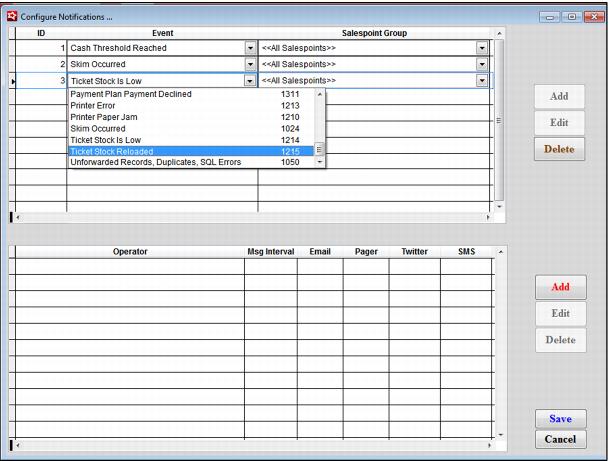
Setting up notifications
In SysManager > Activities > System Lists > Notifications > Configure Notifications dialog. Add a new ID, and then in the Event column dropdown, select Ticket Stock Is Low. Then assign the Salespoint Group and repeat for the Ticket Stock Reloaded event type. Assign the appropriate staff/operators and select the notification type.
Note: The appropriate staff personnel must have their email in the E-Mail field under the Notifications tab on the Operator dialog in order to receive low ticket stock and ticket reloaded messages.