Mobile Sales module
1. Create a salespoint in SysManager for each Mobile Sales modules that are installed and license each of them for Mobile Sales module.
2. Select an Item Tree for each Mobile salespoint. Keep in mind that the item tree selected for the salespoints are basic; no fancy multi-layered groups or always top types of features.
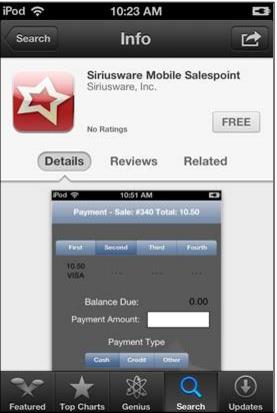
3. Load the Mobile Sales App on the iPod device through the App Store, searching for Siriusware Mobile Salespoint.
Note: When clients downloads the app, they get to run it up to the launch page. They are not able to install/use the actual application until they enter all the required information that needs to be obtained from Siriusware Inc. through a license purchase
Note: In Mobile Sales module, if the Linea Pro Hardware is not present the message, “Linea Pro Hardware required” displays on a red splash screen. If a connection to Salesware Service application is not possible the message, “Waiting for Connection to Salesware Service” is displayed again on a red splash screen. When the two messages occur, only a limited User Interface (UI) with Main, Contact and Settings tabs appear.
Note: A horizontal swipe of the iPod Touch/iPhone screen changes the tab that Mobile Sales module displays.