Scanning items
To add items to the sale, a barcode can be scanned. The barcode must be encoded with either the Item’s Nickname, the contents of the Item’s UDF (configured on the General tab in SysManager) or normal retail barcode.
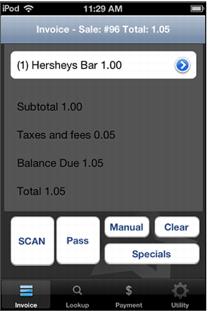
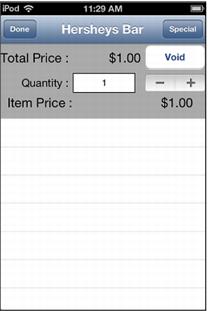
Screen captures below show the Sales Invoice after a barcode on a Hershey’s Bar is scanned. To set the quantity > 1 or to delete the item or refund, select the blue arrow pointing to the right on the line item.