Making payments
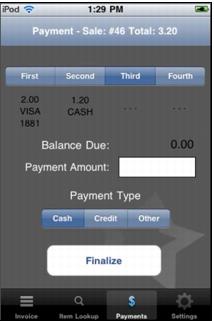
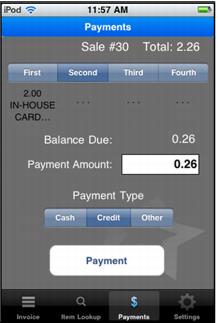
To pay for the sale, press the Payments button. The payment option defaults to Cash so that the user only has to press Payment to pay the entire sale to Cash.
When paying with a Credit Card or In-House Cards item, the user can swipe the card or scan the IHC barcode (using the device’s top-right-side button to activate the barcode scanner). As soon as the payments entered are greater than or equal to the sale total, the Payment button becomes the Finalize button. As soon as the Finalize button is pressed, the sale is submitted to Mobile Sales Host utility for processing.
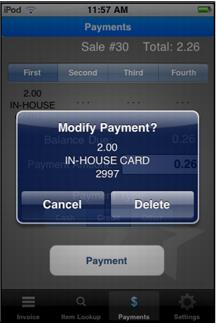
Up to four payments can be entered for each sale. Each payment made is displayed at the top of the screen. To delete a payment, select the Payment Number button (first, second, third or fourth).
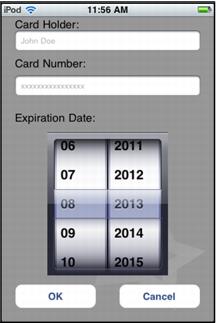
Additionally, credit card numbers can be entered manually if the swipe on the card doesn’t work.