Modifiers in Mobile Sales module
The main difference using Modifiers in Mobile Sales module compared to traditional Sales, is the lack of a Modifier button in Mobile Sales.
To access modifiers for an item:
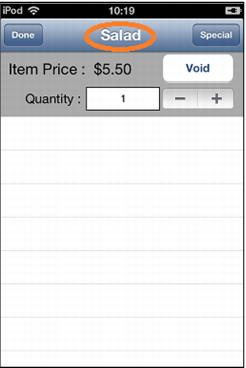
1. Go into the item detail from the Invoice tab and select the item description.
2. The Modifier dialog then comes up.
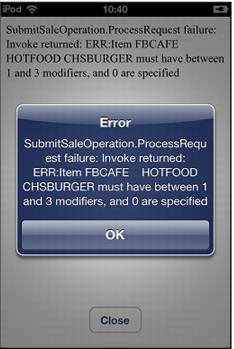
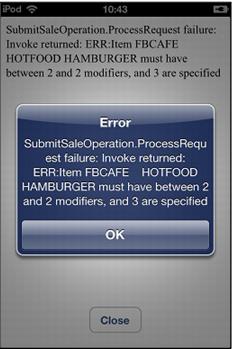
3. If modifiers are set to Prompt, the Modifier dialog appears on its own. If modifiers are set to Prompt/Required, the dialog appears and the required Min/Max quantities are observed. If the quantities are not observed, the following screen captures are examples of messages the operator may receive. The requirement must be satisfied to finalize the sale.
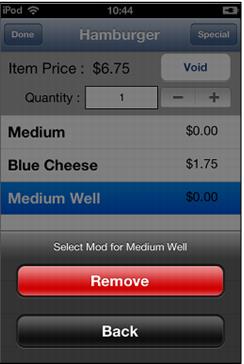
To remove a modifier:
1. Select the modifier on the Item Edit dialog and choose Remove.