Mobile Sales : Max4Sale and Points4Sale capability in Mobile Sales module Max4Sale and Points4Sale capability in Mobile Sales module
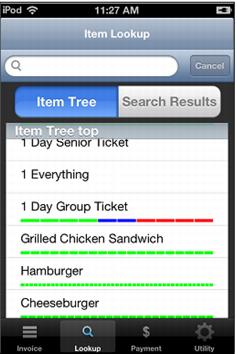
Max4Sale and Points4Sale functionality has been added to Mobile Sales module. Max4Sale and Points4Sale limits for non-modifier items appear in the Lookup tab under the item in Mobile Sales module.
• Green indicates available items
• Blue shows items taken in a sale but not processed by Mobile Sales Host
Note: For blue values to function Enforce Real Time Inventory Tracking must be checked in the item’s Restrictions tab. Also, blue values do not increase above the number defined by the Max4Sale or Points4Sale capability if the limit is exceeded.
• Red means items are taken in a sale and processed by Mobile Sales Host.
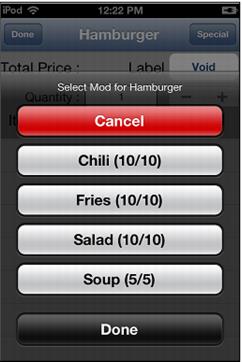
Max4Sale and Points4Sale limits for modifier items appear in the Modifier dialog. The limit is displayed next to the modifier, e.g., 20/20. The first number indicates the number remaining and the second number indicates the limit.
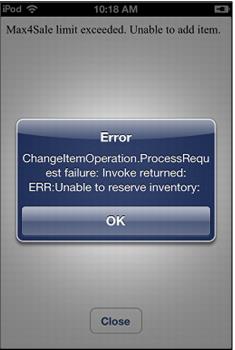
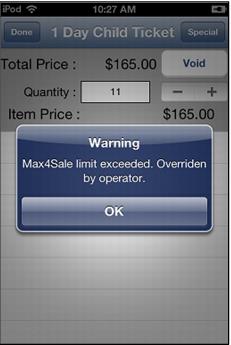
Overriding a Max4Sale or Points4Sale limit is dependent on whether the logged-in operator has the security permission to perform the override. If the operator does not have the appropriate permission, the following message will display:
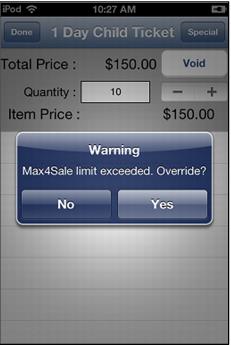
If the operator does have the appropriate security to override, two messages will be encountered:
If an item is a modifier, the limit restrictions are always observed and cannot be overridden even if the logged-in operator has override security.