Mobile Sales : Configuration Of Mobile Sales autosale functionality Configuration Of Mobile Sales autosale functionality
With autosale functionality, an In-House Cards (IHC) barcode (i.e., wristband) is scanned in a blank Mobile Sales invoice screen, the selected autosale item is sold and either charged to the IHC or discounted to $0.00 and finalized. Discounting the item is accomplished through the IHC’s pass template. The functionality currently only works when scanning a barcode. Swiping a card will not work.
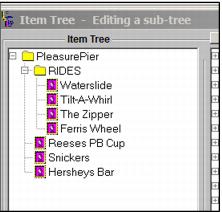
The item tree for Mobile Sales must be set up containing a folder named RIDES which contains the items that can be autosold when the IHC barcode is scanned.
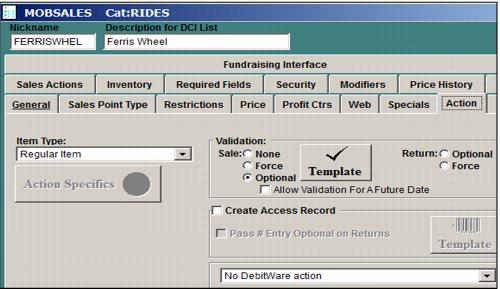
The items to be autosold must be optional validation items set up in the item’s Action tab. Nothing must be configured in the template. Total uses, Uses Per Week, Uses Per Day etc. values SHOULD NOT be entered in the Validation tab as normal validation does not take place and unintended results may occur. However, be sure to go into the template and save it.
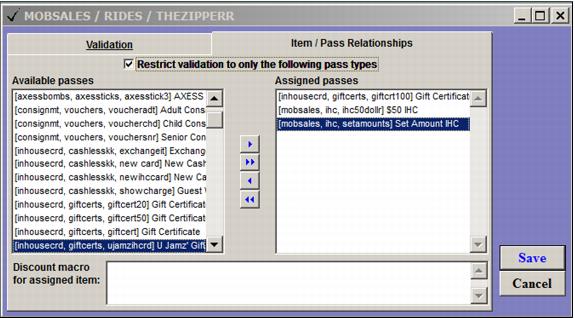
If you wish to restrict the IHC’s/passes that can validate the autosale items, perform this as normal in Validation Template of the autosale item:
1. Add the IHC/pass to the Assigned passes section.
2. Check the Restrict validation to only the following pass types check box.
To assign the item to be autosold
1. Go to the Utility tab in Mobile Sales
2. Choose the Auto Sell Ride button in the Operator tools section.
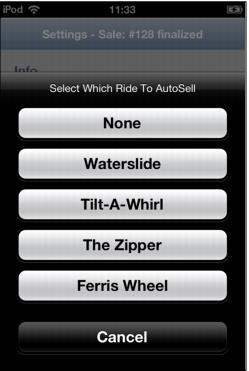
3. A list of the items in the item tree’s RIDES folder will appear.
4. Choose the item to be autosold. The button will then display the item chosen. The auto sale item can be changed on the fly but only the item chosen can be autosold.
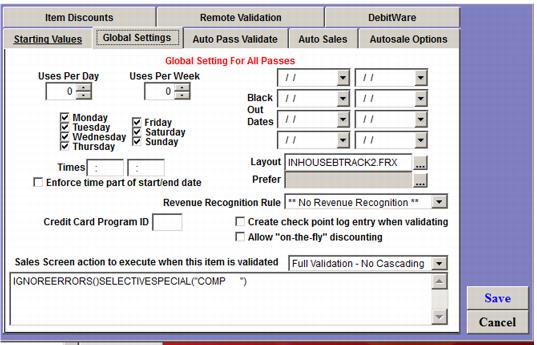
If it is desired to sell the rides without cost, the IHC/pass is configured to apply a special through the Global Settings tab of the pass template in the Sales Screen action to execute when this item is validated field. Any valid macro can be used.
The ww.dll being used must be configured for validation. Add the following with site specific information to the ww.ini file.
[Validation]
SalesEZ=127.0.0.1:4203
RolloverMonth=8
CheckExp=TRUE
PrependList=
Extract=
CardPrefixes=' B'
NoDecryptPrefixes=
Location=1
DCI=
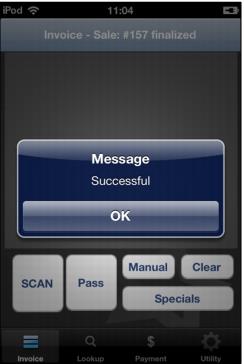
When set up is complete, at the blank invoice screen, the barcode is scanned. If the pass discounts the autosale item to $0.00 the item is sold, finalized and the following message displays:
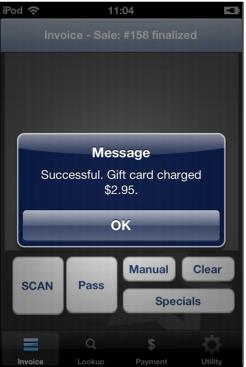
If the IHC is not configured to discount the auto sale item, the IHC associated with the scanned barcode is charged and finalized with the following message resulting:
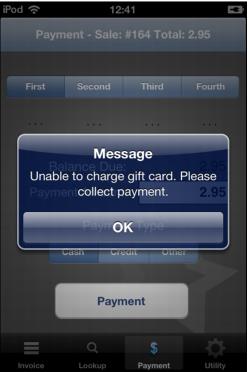
If the IHC does not have sufficient funds, the following is returned: