Global and item specials
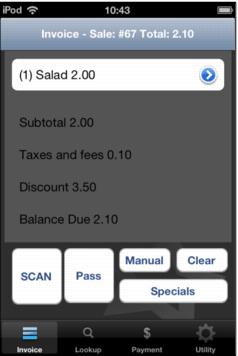
Global and item specials can be used in Mobile Sales module. Global specials can be applied in Mobile Sales module through the Specials button on the initial invoice screen.
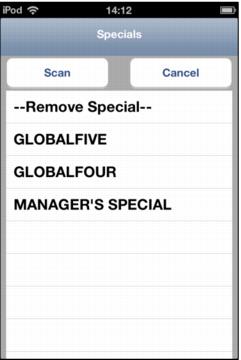
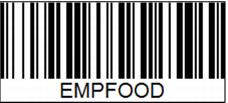
Choosing Specials on the Invoice tab will display a list of the available global specials. Use the Scan button or the button located on the side of the Linea Pro hardware to scan a barcode configured to add the global special to the sale. (For more information on barcode specials see below.) An assigned special can be removed by using - - Remove Special - - selection.
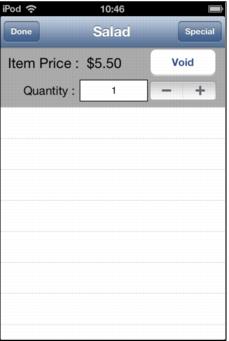
Line item specials are added through the Special button in the item details screen.
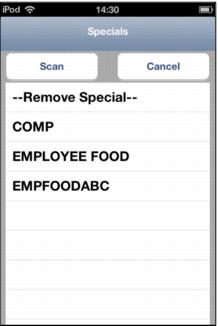
Choosing the Special button in the line item, results in a list to select a special. A barcode can also be scanned to apply the special.
Specials listed on the global or line item Specials dialog can be added by scanning a barcode that contains the special nickname. While on the Specials dialog, use the Scan button or utilize the physical scan button located on the side of the Linea Pro hardware.
Specials can also be applied through Sales screen actions macros in the item itself, GLOBALSPECIAL(), ITEMSPECIAL () and SPECIAL().
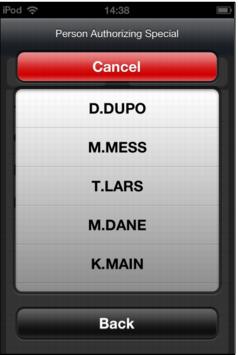
Source code, Marketing codes and Reason For and Person authorizing can all be utilized if the special is configured to require these. All normal security, blackout dates etc. for specials can be applied.
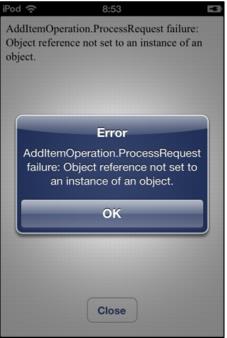
If an attempt is made to scan a specials barcode outside of the Specials list dialog the following error results: