Schedule Information
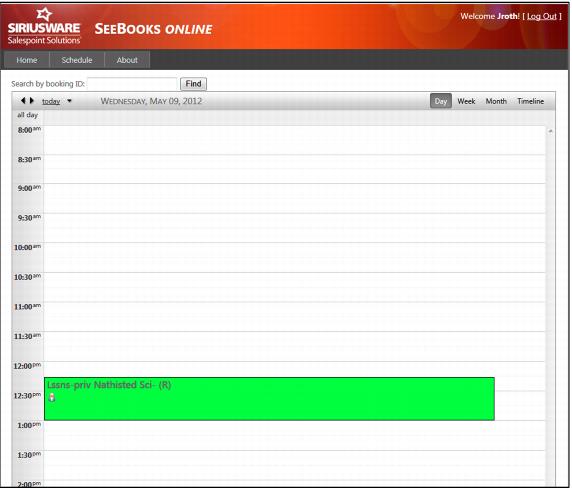
To retrieve schedule information click on the Schedule tab on the left hand side of the page. A detailed schedule appears highlighting the instructor’s schedule.
Instructors have the option to view schedule by:
• Day
• Week
• Month
• Timeline
Lessons can also be found by entering the booking ID into the text box and clicking on find. You can search by date by clicking on the dropdown arrow beside today and a pop-up calendar displays. By clicking on the left and right arrow buttons to move backward and forward one day at a time, instructors can select individual dates as well.
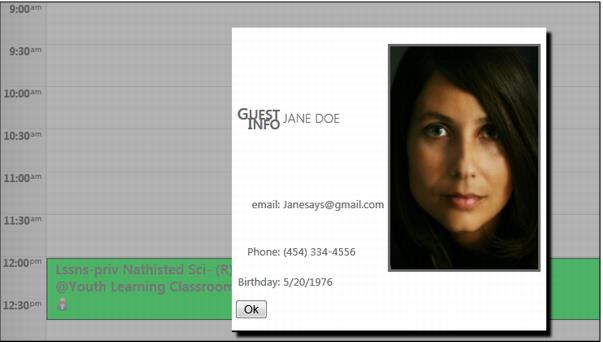
To view details on a specific lesson and guest information click on the guest icon on the class and it displays Guest Info including:
• Guest Name
• Email
• Phone Number
• Birthday
• Guest Photo
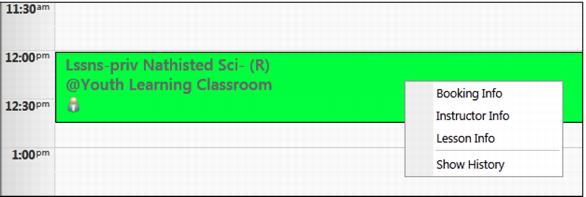
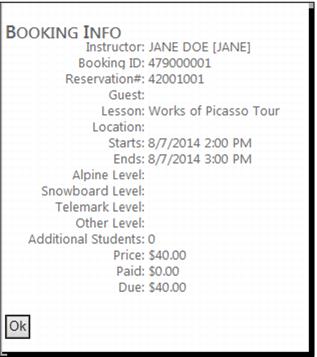
Instructors can right click on the reservation and bring up a selection dialog box to view Booking Info, Instructor Info, Lesson Info and Show History.