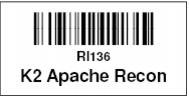
Rental Equipment Label layouts
Rental Equipment Label layouts are based on the Equipment Type and are printed out of SysManager. These layouts typically include a description of the item, the barcode or asset number and a scan-able barcode that is encoded with %RI and the barcode or asset number (depending on the method of equipment searches used at the tech stations). Available fields for equipment labels include the fields found within the R_INVENT table.
Note: To trigger a search for a piece of rental inventory, a %RI must precede the barcode number or asset number within the encoded barcode. Alternatively, a % may be programmed into the TechStation scanners and the tech stations can be set up to assume RI if no prefix is scanned, thus allowing only the rental equipment inventory number to be encoded within the barcode.
Scans of rental equipment only search the barcode, asset_no, serial_no1, serial_no2, serial_no3 and serial_no4 columns in the r_invent table. The order of precedence for searching is first, the LookupBy column, and then those columns listed above in the order they are listed. This included searches by guest number and guest name.
Field name in R_INVENT table | Description |
barcode | Barcode number assigned to inventory item |
asset_no | User-defined asset number configured for inventory item |
serial_no1 | Serial number 1 field contents |
serial_no2 | Serial number 2 field contents |
serial_no3 | Serial number 3 field contents |
serial_no4 | Serial number 4 field contents |
shop_no | Number corresponding to the “home” rental shop |
descrip | Description configured for inventory item |
status | Current status of inventory item |
reqpmfg_id | Number corresponding to equipment manufacturer |
reqpmod_id | Number corresponding to equipment model |
rentaltype | Number corresponding to equipment type |
rental_level | Number corresponding to equipment level |
equip_size | Size configured for inventory item |
boot_mm | Boot millimeter configured for inventory item |
bind_type | Name of binding manufacturer configured for inventory item |
bind_model | Name of binding model configured for inventory item |
validyear | Year used for DIN calculation; if blank, current year is used |