Pay-upon-return: Modifier configuration
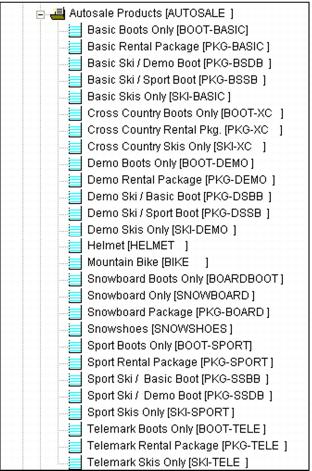
One of the first steps in setting up a pay-upon-return process is to define the individual items that are sold to guests based on rental activity – items such as SNOWBOARD PACKAGE or BASIC PACKAGE WITH BOOT UPGRADE or SKIS ONLY, etc. These are the items that would typically be displayed to guests as rentals that are available for purchase on a price board.
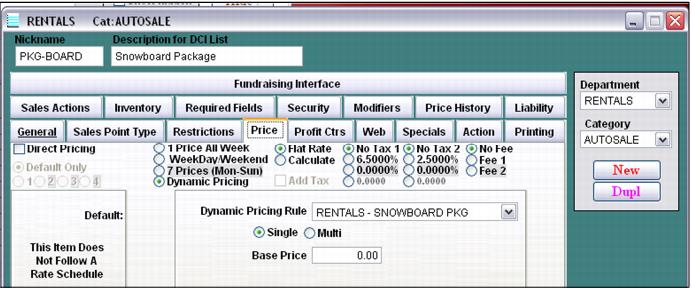
In a pay-upon-return rental process, these items are added as modifiers to a rental contract item based on the associated rental activity as defined within the Auto-Sale Rule associated with the rental contract item. These modifier items are also the items that generate a charge and thus have the appropriate prices (most often using Dynamic Pricing capability) taxes, fees and profit center information configured.
To create rental modifiers:
1. Configure a new Item within the appropriate Department and Category.
2. Enter the appropriate Price and Profit Center information as well as any other configuration required, such as specials or printing.
Once a list of modifiers that is used to generate rental charges has been configured, it is time to move on to the next step: the configuration of Auto-Sale Rules.