Pay-upon-return: Rental component configuration
Rental component configuration for a pay-upon-return rental process is very simple. It consists of creating a single *UNLIMITED* rental component that is used in the configuration of rental contract items.
1. Create a new Item within a Category configured for rental components.
2. Click on the Action tab and select the Begin Rental radio button under the Item Type section.
3. Click on the Action Specifics button.
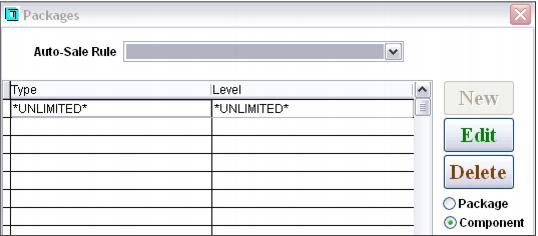
4. Make sure that Component is selected and click New.
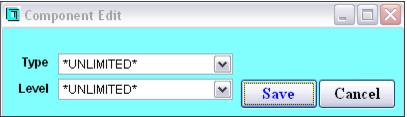
5. Select *UNLIMTED* from both the Type and Level dropdown boxes and save the changes. (Create the *UNLIMITED* type and level within the appropriate rental lists if they are not present in the dropdown boxes.)