Reactivating forms
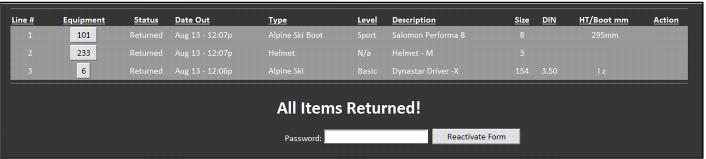
A Rental form is considered closed when all equipment has been returned. Rental forms can be reactivated by looking up the form, entering the authorized password and clicking on the Reactivate Form button.
To retrieve a closed rental form, perform one of the following options:
1. Scan the Rental form barcode.
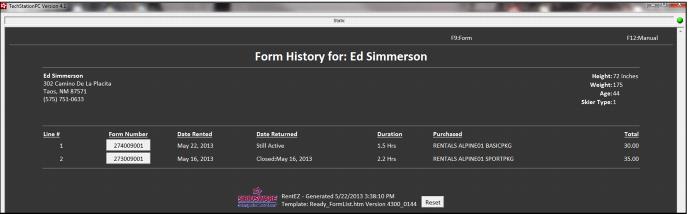
2. Scan the guest lookup barcode (a barcode encoded with %LKUP(GUEST_NO)) in order to get to the entire form history for a guest and select the appropriate form number.
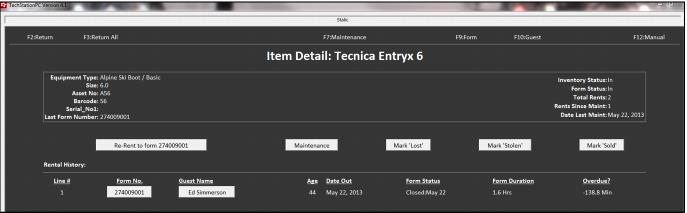
3. Scan a piece of equipment just used on that form and click on the appropriate form number button under the Form No. column.
To navigate to a Rental form based on the form history for a guest (option 2):
To navigate to Rental forms based on the scan of an equipment barcode (option 3):