Storage
Note: The shortcut key for storage is F4.
Equipment can be placed in storage by scanning the equipment to be stored and clicking the Store Item button. If a Storage Tag/Label layout is needed, it can be printed after the equipment is stored assuming that RentPrint application has been configured for that type of layout.
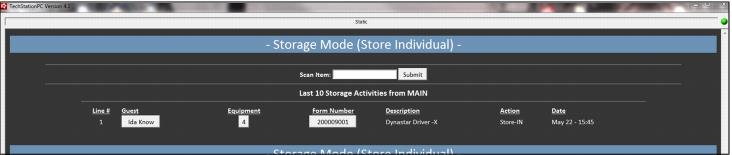
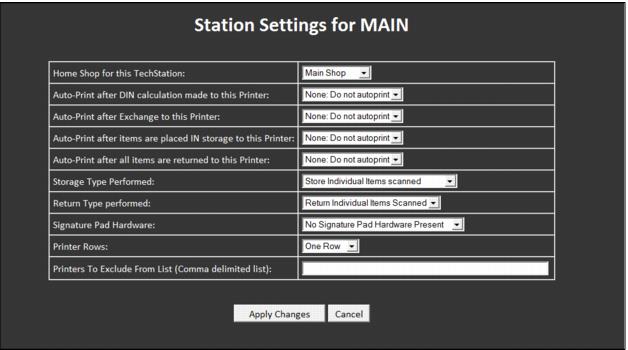
Equipment can also be stored by entering Store Mode on the TechStation. In this mode, either just the item scanned is put into storage or all items associated with the form can be put into storage. It is also possible to generate a label for each piece of equipment stored while in Store Mode. The auto-printing and type of store mode can be set per TechStation by modifying the appropriate settings found on the Ready form.