Partial finalization
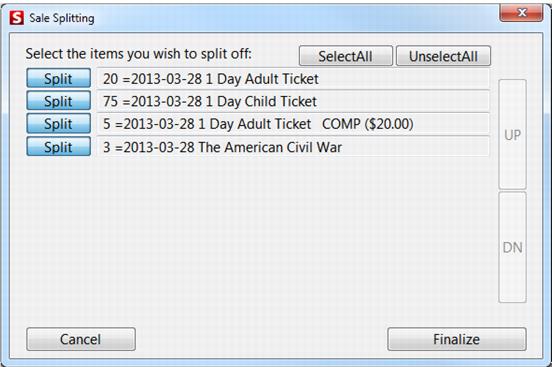
Reservations with more than one product can be split so only part of the sale is finalized. Partial finalization is very useful for finalizing only the items that need to be pre-printed. Partial finalization adds an extra dialog to the finalization sequence – Sale Splitting. See the following screen capture.
To split a sale:
• Select a subset of the transactions on the Sale Splitting dialog, and then press Finalize to complete the process.
• Only finalized transactions are printed; all others are stored as saved sales.
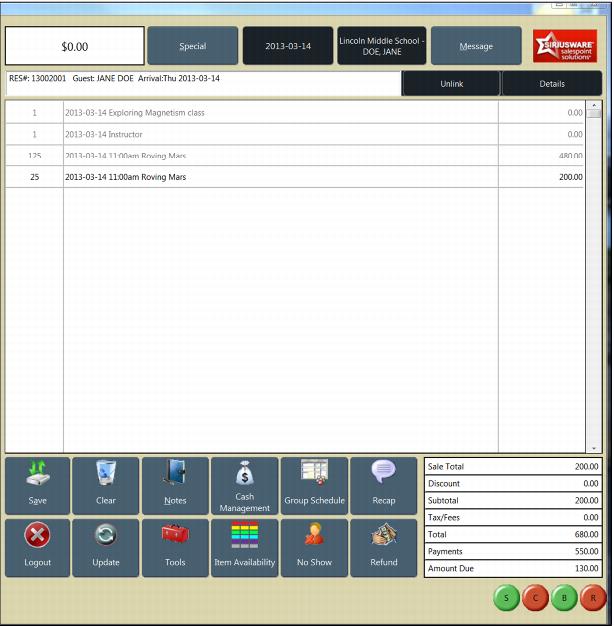
• When a partially finalized sale is recalled, all transactions show but finalized transactions are grayed out.
Note: The Split button is uniform grey when selected. By default, all items are selected for finalization on the Sale Splitting dialog; click on the Split button to deselect items.
When a partially finalized sale is recalled, all transactions show but finalized transactions are grayed out. In the following screen capture, the eighteen holes of golf have been finalized.