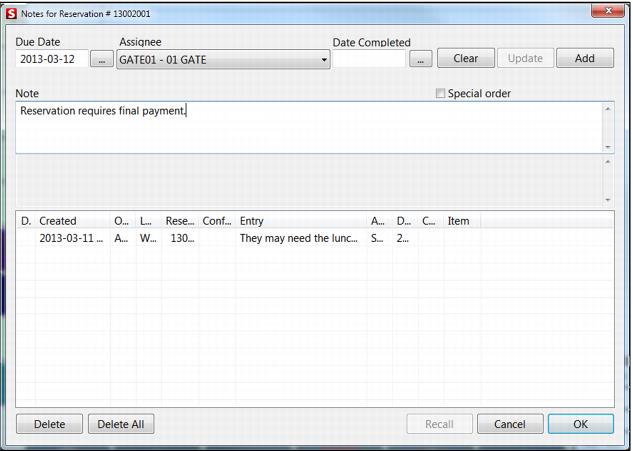
Three options to access notes/tasks functionality
The following three options are used to access notes/tasks functionality:
1. On the Reservation Header dialog, click Res.Notes. From this dialog, only notes for the current reservation can be recalled. See following screen capture.
2. From within a guest record, on the Summary tab, click Notes. The associated reservation can be recalled.
3. From Notes Lookup in Sales, either from the Tools > Action button or Sales Function Key (MainButtonX=TSK). The associated guest and/or reservation can be recalled.
To enter a note, text must be entered into the Note field, and then click the Add button. The Due Date and Assignee fields are optional.
Note: Reservations may be retrieved via Note Lookup and Guest History at salespoints which are not licensed for Reservation Headers. Changes to the Reservation Header is not allowed when called into a non-reservation salespoint.
Note: The carriage return key may be used to add in paragraphs in order to make clearer messages.
To complete a note, recall the note and enter the Date Completed date, and then select the Update button.