Looking up notes/tasks assigned to an operator
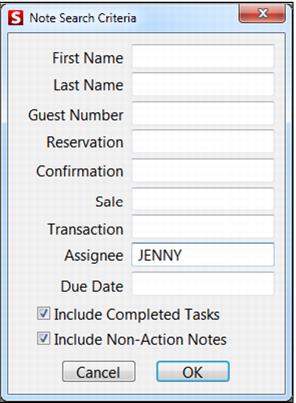
To look up notes/tasks assigned to an operator, use the Note Lookup button in Sales. If an option to look up notes is not available from the main function buttons, go to Tools > Action. Enter the operator’s log-in code into the Assignee field to access Notes/Tasks. See the screen capture below.