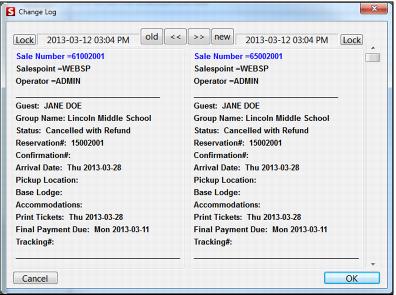
Sample change log screen
Note: The following are characteristics of the Change Log dialog:
• Changes to reservations are highlighted in blue text.
• The old button moves the window to the two oldest versions of the reservation.
• The new button moves the window to the two newest versions of the reservation.
• The arrow buttons allow scrolling through log.
• The Lock button allows one panel to be locked while other can be scrolled.
Exercise:
• Recall your reservation and make a change to a line item.
• Save the reservation and recall it again.
• Go into the change log and see if the change shows up highlighted in blue as above.