Reservations : Reservations Report
 
Reservations Report
 
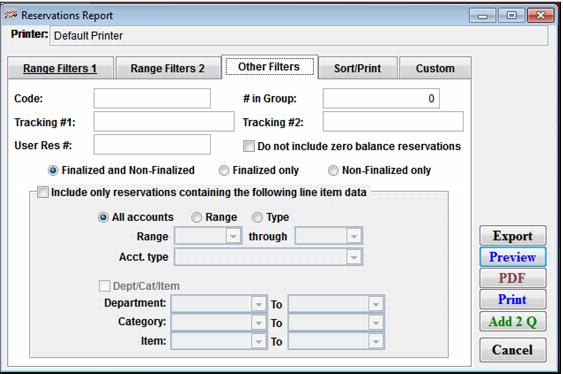
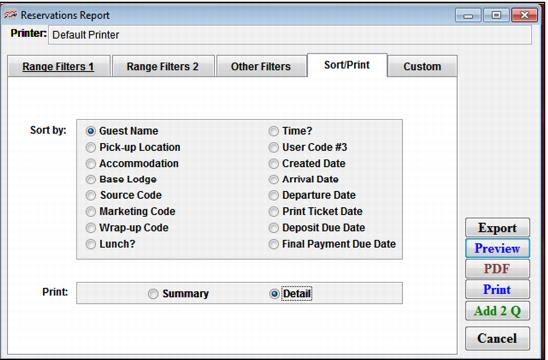
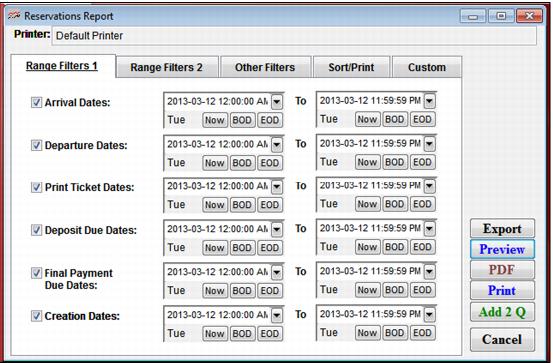
The Reservations Report can be found in ReportManager > Reports > Guests > Reservations. The Reservations Report can be filtered by any of the criteria collected in the Reservation Header. See the following screen captures for examples of the Reservations Report dialog.
 
C:\Users\Jennifer Roth\Documents\DonationCoder\ScreenshotCaptor\Screenshots\Screenshot - 2013-03-12 , 3_08_21 PM.png
 
C:\Users\Jennifer Roth\Documents\DonationCoder\ScreenshotCaptor\Screenshots\Screenshot - 2013-03-12 , 3_09_09 PM.png
 
C:\Users\Jennifer Roth\Documents\DonationCoder\ScreenshotCaptor\Screenshots\Screenshot - 2013-03-12 , 3_10_07 PM.png
 
C:\Users\Jennifer Roth\Documents\DonationCoder\ScreenshotCaptor\Screenshots\Screenshot - 2013-03-12 , 3_11_14 PM.png
 
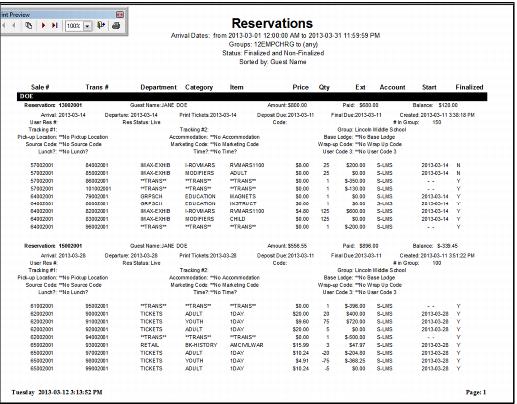
See the following screen capture for an example of the Reservation Report.
 
C:\Users\Jennifer Roth\Documents\DonationCoder\ScreenshotCaptor\Screenshots\Screenshot - 2013-03-12 , 3_14_05 PM.png