Shows
To schedule a show for the Production:
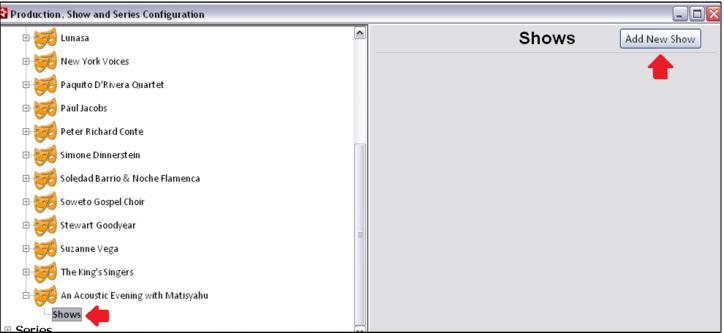
1. Expand the Production by clicking on the + sign, select Shows and click the Add New Show button.
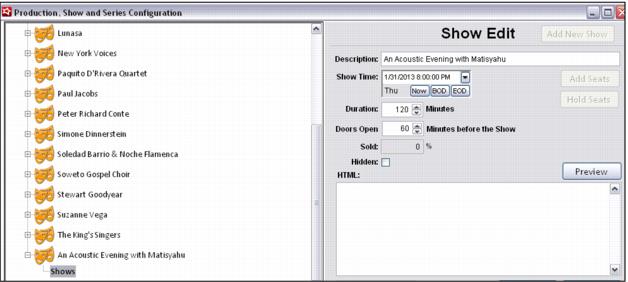
2. Enter a Description, Show Time, Duration and Doors Open X Minutes before the Show value.
• The Show Time, Duration and Doors Open values determine the valid date/time of barcoded tickets sold to the Show.
Note: When a new production is added it is automatically assigned a Show ID number.
Note: Currently the HTML field is not in use. It has been added as a placeholder for future development, but is not operational at this time.
3. When the Show is saved, a small message in the upper-right hand side of the screen notifies the operator that seats are being created for the show and once the process is complete X number of seats are created in the data.
Important: Make sure to fully define and double-check your Seat Blocks before scheduling Shows into the Venue template. Once a Show has been scheduled, the Seat Blocks for the Venue template cannot be changed.