Administrative holds
Once a Show is created, it is possible to put an administrative hold on seats in order to prevent certain seats from being booked. For instance, ten seats at a particular show are put On-Hold for VIP Board Members who may show up with no warning. Another example would be putting a hold on seats in the back area of the theatre in order to “front-fill” the seats.
To put an administrative hold on seats for a Show:
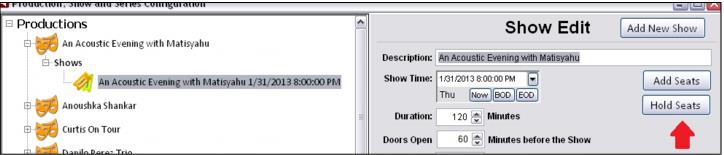
1. Select the Hold Seats button.
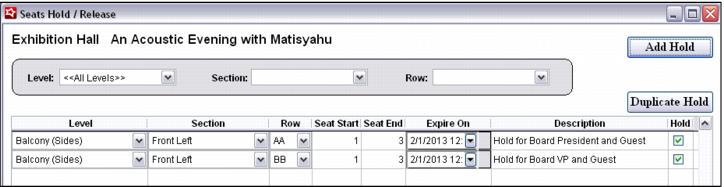
2. Enter the Level, Section, Row and Start/End Seats to be held.
3. A date to automatically expire the hold and release the seats can be configured, along with adding an optional Description for the hold.