Series
To create a package or Series, of shows:
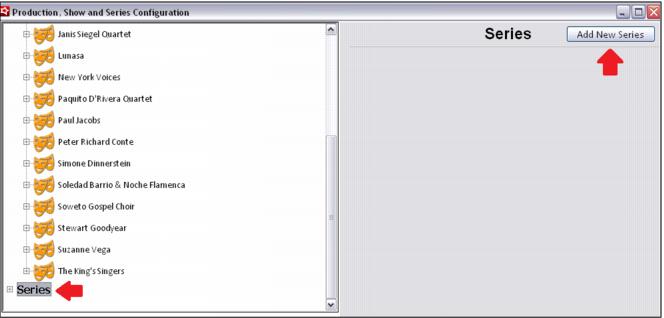
1. Click on the Series option, and then click the Add New Series button.
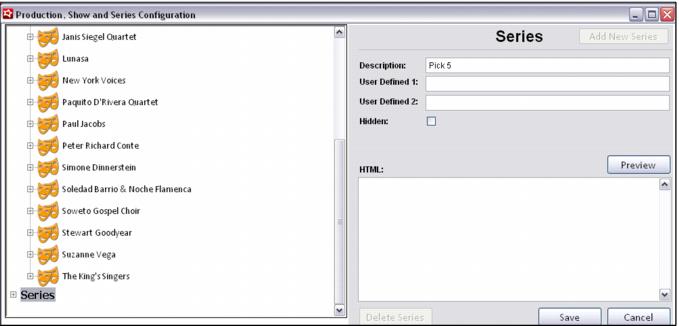
2. Enter a Description and Save.
Note: Currently the User Defined and HTML fields are not in use. They have been added as placeholders for future development, but are not operational at this time.
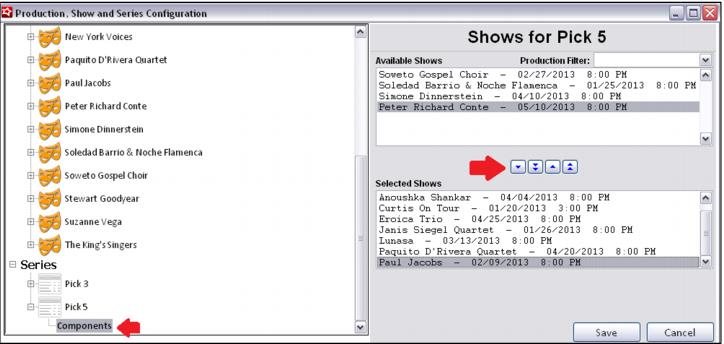
3. Next, expand the new Series by clicking on the + sign, select Components and move shows from the Available Shows window to the Selected Shows window.
• Shows occurring in the past do not appear in the Available Shows window.